Stranded, Suppressed, or Unfulfillable? Get This Right First
Every seller I've worked with eventually says some version of "my inventory is stuck" and means three completely different things by it. That confusion wastes days, because the fix for each situation is not remotely the same. Before you touch anything in Seller Central, you need to know exactly which bucket you're dealing with.
Stranded inventory is Amazon's specific term for units physically sitting in a fulfillment center with no active, buyable listing pointing to them. The listing is gone, deactivated, or broken in a way that severs the link between the ASIN and the offer. The inventory is fine. It's healthy, sellable stock. It just has nowhere to be bought from. No listing means no buy box, no traffic, no sales, full stop.
Suppressed is a different animal entirely. A suppressed listing still exists and is technically live, but Amazon has pulled it from search and browse, or blocked purchases, because of a content issue: missing required attributes, a flagged image, a compliance document that expired, a pricing error that tripped an automated check. The listing is there. It's just invisible or unbuyable until you fix the content problem that triggered the suppression.
Unfulfillable has nothing to do with the listing at all. This is about the physical units themselves: damaged in the warehouse, expired, defective, or otherwise unsellable in their current condition. The listing might be perfectly healthy and selling other units just fine. These specific units just can't go out the door.
Fix a suppression issue and stranded units still won't sell, because the listing link is still broken. Try to "reactivate" unfulfillable units and you'll find there's nothing to reactivate, because the problem is the physical stock, not the offer. Diagnose the wrong category and you can burn a week chasing the wrong fix while storage fees keep running.
Seller Central actually separates these into different reports for exactly this reason: the Stranded Inventory report, the listing quality/suppressed section under Manage Inventory, and the Unfulfillable Inventory report. If you're troubleshooting a SKU that's gone quiet, check which report it actually shows up on before you assume you know the cause.
How Inventory Actually Ends Up Stranded
Stranded inventory almost never happens because someone set out to break a listing. It's nearly always a side effect of something else going on, which is exactly why it's so easy to miss. The common triggers I see over and over:
- A listing got deleted or deactivated by mistake: usually a catalog team member cleaning up "duplicate" or "old" SKUs without realizing units were already inbound or sitting in a fulfillment center under that listing.
- The listing lost buy box eligibility entirely: not suppressed, but pulled from the catalog because of a category gating issue, an IP complaint, or an account-level restriction that removed the offer's ability to be sold.
- A parent-child variation relationship broke: someone edited a variation theme, removed a child ASIN, or a bulk update accidentally detached a child from its parent, leaving inventory tied to a variation that no longer resolves to a purchasable page.
- A bulk upload set price or availability wrong: a flat file with a blank price field, a "0" quantity override, or a status field that flipped listings to inactive across dozens of SKUs at once without anyone noticing until sales stopped.
- The listing got matched to the wrong catalog item: a new product launch accidentally attached to an existing ASIN (or vice versa), which can sever the connection between your inventory and the offer you meant to sell it under.
- A brand or compliance issue took the ASIN down: a trademark complaint, a restricted-category flag, or an expired certification pulled the listing while inventory was already sitting in FBA, with no product problem at all.
Notice the pattern: most of these are self-inflicted, triggered by routine catalog work rather than anything dramatic. That's the part sellers underestimate. You don't need an enforcement action to strand inventory. A junior team member cleaning up a spreadsheet can do it in thirty seconds.
Finding It: The Stranded Inventory Report
Seller Central has a dedicated report for exactly this problem, and most sellers I talk to either don't know it exists or only open it after a sales dip forces them to go looking. You'll find it under Inventory, then Manage Inventory, in the inventory health or "Inventory Planning" area, listed as Stranded Inventory. It's worth bookmarking.
The report breaks each affected SKU down by a "stranded reason," and those reasons map roughly to the causes above:
- Listing not available on Amazon.com: the offer itself was deactivated or removed. This is the most common category and usually the easiest fix.
- Item not in catalog: the ASIN reference the inventory is tied to no longer exists as a purchasable catalog entry, often from a bad catalog match or merge.
- Fix price alert: a pricing error, frequently from a bulk upload, that's blocking the listing from going live until corrected.
- Missing item dimensions or other required attribute: the listing is technically active but missing data Amazon needs before it will show the offer as buyable.
The report also tells you how many units and how many days they've been stranded, which is the number that should actually drive your priority list. A SKU stranded for two days is an annoyance. A SKU stranded for six weeks is a stack of accrued storage fees you've been paying for nothing.
Here's the habit that actually matters: check this report on a schedule, not reactively. Inventory can go stranded silently the moment someone on your team edits a live listing, whether that's a title change, a variation update, or a routine bulk price refresh. Nothing about that edit necessarily throws an error message. You just quietly stop selling on that SKU until someone notices the sales chart flatlined, and by then you've usually lost more in storage fees and lost sales than the fix itself will ever cost you.
Fixing a Deleted or Deactivated Listing
This is the most common stranded scenario and, thankfully, usually the simplest to resolve. If the listing was deactivated rather than fully deleted, reactivating it in Seller Central is often enough to reconnect the offer to the existing inventory. Amazon matches inbound and on-hand units to a listing by SKU and FNSKU, not by whether the listing happened to be live at any given moment, so units don't disappear when a listing goes inactive. They just sit there unsold.
If the listing was deleted outright, you'll need to recreate it using the same SKU (or at minimum, make sure the same FNSKU gets reassigned to the recreated listing). This is the step people get wrong: they recreate the listing with a new SKU, which then requires the physical units to be relabeled with a new FNSKU before they can sell. That's an unnecessary relabel project, extra fees, and extra delay you don't need. Match the original identifiers and the existing labels on the units in the warehouse stay valid.
Before recreating anything, confirm why the listing was removed in the first place. If it was accidental deletion, recreate and move on. If it was removed for cause (IP complaint, policy violation, compliance issue), recreating the exact same listing without addressing the underlying reason just gets it pulled again, and a repeated pattern often draws more scrutiny, not less.
Broken Variations, Compliance Holds, and Knowing When to Cut Losses
A broken parent-child relationship needs a slightly different repair. If a child ASIN got detached from its parent, or the variation theme changed in a way that orphaned a size or color, the fix is rebuilding the relationship correctly rather than treating it like a standalone reactivation. Use the Add Products or listing template flow to reattach the child to the correct parent with matching variation attributes, and double check the variation theme (size-color, size only, style only) actually matches what the parent expects. A mismatched theme will silently fail to attach even when everything else looks right.
For a compliance or content-related strand, the inventory will not come back to life no matter how many times you reactivate the listing, because reactivation isn't the actual problem. You have to resolve the underlying issue first: submit the missing certification, respond to the IP complaint, fix the flagged content, whatever triggered the takedown. Only once that's cleared does the listing become eligible to go live again, and the previously stranded units become sellable the moment it does. Trying to force a listing live around an unresolved compliance flag just wastes cycles.
Not every stranded SKU is worth rescuing. If a listing is stranded because of a permanent category restriction, a discontinued product line, or a compliance issue you can't realistically clear (an expired cert you no longer qualify for, a brand that pulled authorization), stop trying to relist it and issue a removal order instead: either return the units to yourself or have Amazon dispose of them. Every extra week spent troubleshooting an unwinnable listing is another week of storage fees on units that were never going to sell again anyway. Be honest about which category you're in before you sink more time into it.
The Money You're Bleeding While It Sits There
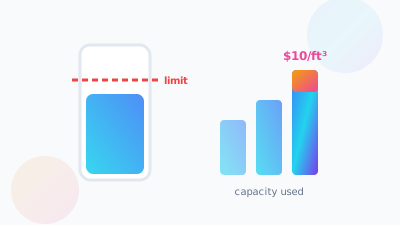
Stranded inventory doesn't just cost you the sales you're missing, which is bad enough on its own. It actively costs you money every single day it sits in the warehouse, because monthly storage fees don't care whether a unit is sellable. Amazon charges by cubic foot regardless of whether the listing behind it is live, broken, or gone entirely. A stranded SKU is a unit you're paying rent on with zero chance of revenue until someone fixes it.
Layer on top of that the aged inventory surcharge, which kicks in once units sit in a fulfillment center past a certain age threshold, and the math gets worse fast. A pallet that's been stranded for three or four months isn't just accruing normal storage fees anymore, it's likely accruing aged inventory penalties on top of them, and it may be creeping toward the long-term storage fee cutoff too. That's three separate cost mechanisms stacking on the same dead inventory at once.
This is the part that makes stranded inventory genuinely different from a lot of other Amazon headaches: it's not a one-time cost you absorb and move past. It compounds for as long as it goes unnoticed. A listing that's been broken for a week is a nuisance. The same listing broken for a full quarter has quietly turned into one of your worst-performing SKUs on a cost basis, even though the product itself might be a strong seller everywhere else in your catalog.
Building Habits That Keep This From Happening Again
You can't eliminate stranded inventory entirely, mistakes happen and Amazon's systems occasionally hiccup on their own, but you can cut how often it happens dramatically with a few operational habits.
- Put a change-control step on anyone who can edit live listings: a second person reviewing bulk edits, deletions, or variation changes before they go live catches the majority of accidental strandings before they ever happen.
- Actually read your flat-file upload results, don't assume success: a bulk upload can partially fail, silently skipping rows with formatting errors while the rest process fine. Check the processing report every time, not just when something looks obviously wrong.
- Review the Stranded Inventory report on a fixed cadence: weekly for larger catalogs, at minimum monthly for smaller ones. Don't rely on noticing a sales dip, because by the time a dip is obvious you've likely already lost a couple weeks of sales and storage fees to a problem that a five-minute report check would have caught on day one.
- Document who has permission to deactivate or delete listings: the "accidental deletion by someone who didn't know inventory was inbound" scenario almost always traces back to unclear ownership over who's allowed to touch what in the catalog.
None of this requires new software or a big process overhaul. It requires treating listing edits with the same care you'd treat a price change or a PPC budget shift, because the downside risk is honestly comparable.
The good news buried in all of this: stranded inventory is one of the few problems on Amazon that's entirely within your control to fix, and fast. There's no waiting on a policy team, no appeal queue, no algorithm to satisfy. Once you know a listing is stranded and why, the fix is usually a same-day task. Compare that to something like an IP complaint or an account-level suspension, where you're at the mercy of Amazon's timeline no matter how quickly you respond. Catching stranded inventory early is pure upside: the sooner you find it, the sooner it stops costing you money, and nothing is standing between you and that fix except actually checking the report.
Frequently Asked Questions
Stranded means healthy, sellable units sitting in a fulfillment center with no active listing pointing to them. Suppressed means the listing still exists but Amazon pulled it from search or blocked purchases over a content issue. Unfulfillable is about the physical units: damaged, expired or defective. Seller Central has a separate report for each one.
Most strandings are side effects of routine catalog work rather than enforcement. A teammate deleting a 'duplicate' SKU, a broken parent-child variation, a bulk upload with a blank price or a zero quantity, a listing matched to the wrong catalog item, or a compliance flag can each sever the link between your units and a buyable offer.
If it was only deactivated, reactivating it usually reconnects the offer, since Amazon matches units by SKU and FNSKU rather than by whether the listing was live. If it was deleted outright, recreate it using the same SKU so the existing labels stay valid. A new SKU forces an unnecessary relabel project and extra fees.
More than the lost sales. Monthly storage fees are charged by cubic foot whether the listing is live, broken or gone, and units sitting past a certain age threshold pick up the aged inventory surcharge, with long-term storage fees beyond that. Storage rates roughly double to triple during Q4 peak, so a strand running October to January hurts most.
Not sure how much of your catalog is quietly stranded right now?
SellerVine's team can run a full inventory health check across your account, flag every stranded, suppressed, and unfulfillable SKU, and get the fixable ones back live fast.
Get your free audit →