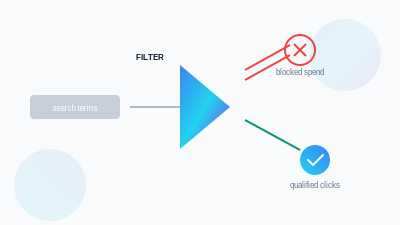
- Pull the search term, targeting, placement, advertised product and impression share reports for one date range before you start.
- End the audit window about two weeks back, since Amazon says sales can take 7 to 14 days to be attributed.
- Amazon suggests waiting for at least 20 clicks before you add a search term as a negative keyword.
- Dynamic bids up and down can double a bid, and placement modifiers of up to 900% apply on top of that.
- Estimate waste as zero-order spend past your click threshold plus spend above break-even ACoS on converting terms.
- Fix negatives and budget moves first, bids second and campaign structure last, about two weeks apart.
How do you run an Amazon PPC audit in one afternoon?
Pull five reports for the same date range, set a break-even ACoS for each product, then work through the 25 checks in order. Each one says what to open, what a problem looks like and how to fix it. Most in-house teams finish a first pass in three to four hours.
The order matters. Tuning a bid before you know the attribution window or the margin can mean fixing the wrong thing, so tracking comes first and profit last. Download these from the Sponsored Products reports in the ads console (Amazon now calls the combined console and DSP buying surface Amazon Ads Agent):
- The search term report: shopper searches that led to at least one click.
- The targeting report: keywords, products and categories with at least one impression.
- The placement report: results for top of search against other placements.
- The advertised product report: results by ASIN.
- The search term impression share report: your share of ad impressions on each search term.
Add a bulk sheet from bulk operations so every campaign, bid and negative sits in one file. Sponsored Brands advertisers should also pull its keyword placement and search term reports. Amazon describes each one in its guide to advertising reports.
Amazon's display ads guide says sales can take 7 to 14 days to be attributed to an ad. A window that ends yesterday makes recent search terms look worse than they are, so use the 30 or 60 days ending about 14 days ago.
What are the 25 checks at a glance?
Here is every check with the warning sign that means it fails. Print the table, tick each row as you go, and write a dollar figure next to anything that fails. Those figures decide what you fix first, which the last section covers. The sections after the table explain where to look and what to change.
| # | Check | Warning sign |
|---|---|---|
| 1 | Attribution window | 7-day and 14-day sales compared as equal |
| 2 | ASIN eligibility | Ads on ineligible ASINs |
| 3 | Break-even ACoS | No figure per product |
| 4 | Date range | Window ends yesterday |
| 5 | Naming and portfolios | Names you cannot filter |
| 6 | Mixed targeting | Keywords and product targets together |
| 7 | Ad group grouping | One ASIN takes nearly all impressions |
| 8 | Branded vs generic | Brand clicks hiding weak generic ACoS |
| 9 | Zero-order spend | 20+ clicks, no orders |
| 10 | Unharvested winners | Converters only in auto or broad |
| 11 | Overlap | One term in several campaigns |
| 12 | Over-blocking | Negatives matching past converters |
| 13 | ASIN clicks in auto | Product pages that never convert |
| 14 | Bidding strategy | Up and down everywhere |
| 15 | Placements | Big modifier on the worst placement |
| 16 | Match type bid order | Broad bid above exact |
| 17 | Low CTR targets | Impressions, almost no clicks |
| 18 | Impression share | Low share on your best term |
| 19 | Winners out of budget | Low time in budget |
| 20 | Losers fully funded | Budget spent, no sales |
| 21 | Test budget share | Tests eating core budget |
| 22 | Sponsored Brands placements | Spend, no attributed purchases |
| 23 | Sponsored Display credit | vCPM on your own pages |
| 24 | ACoS vs break-even by ASIN | Losing money per ad sale |
| 25 | TACoS trend | Rising while total sales stay flat |
Account and tracking: can you trust the numbers?
Four checks confirm the data before you act on it: which attribution window each report uses, whether every advertised ASIN can serve, what ACoS each product can afford, and whether your date range leaves room for late sales. Skip them and later checks can point you at the wrong campaigns.
1. Know which attribution window you are reading
Intentwise's attribution explainer says Sponsored Products credits seller sales within 7 days of a click, while Sponsored Brands and Display use 14 days (vendors get 14 days on Sponsored Products too). Put all three formats in one sheet and the brand formats get an extra week of credit. Label the window on every tab.
2. Check that every advertised ASIN is eligible
Since June 2022, Amazon's bulk sheets show each advertised ASIN's eligibility status in Sponsored Products, with the reason when one cannot serve. Filter for anything ineligible. An ad that stopped serving makes its campaign look quiet, and quiet campaigns tend to lose budget for the wrong reason. Fix the listing or pause the ad.
3. Set a break-even ACoS for each product
Amazon's ACOS guide says ACoS has to stay below your profit margin for you to make money. Work out margin before ad spend for each ASIN (price minus cost, fees and shipping, divided by price). That is your break-even ACoS, and our ACoS and TACoS calculator does the arithmetic. A 40% ACoS can be fine on one product and a disaster on another.
4. Pick one date range and stick to it
Mixing a 30-day search term report with a 60-day targeting report gives numbers that never reconcile. Thirty days suits a busy account. Low-traffic accounts need 60 so search terms build up enough clicks to judge.
Campaign structure: is the account built so you can manage it?
Structure checks look for setups that hide problems: names you cannot filter, campaigns mixing targeting types, ad groups where one product takes all the traffic, and brand searches blended with generic ones. Each makes waste harder to spot, even when it costs little by itself.
5. Naming conventions and portfolios
If you cannot tell ad type, product, targeting and goal from a campaign name, every later check is slower. Brent Zahradnik of AMZ Pathfinder, writing on Amazon's Ad Intel blog, calls structure the most visible problem in the audits his team runs. Rename to one pattern and group campaigns into portfolios by brand or product line.
6. Mixed targeting in one campaign or ad group
Amazon's Sponsored Products targeting guide recommends against mixing targeting strategies in one campaign and ad group. Look in the bulk sheet for ad groups holding keywords and product targets together. A live campaign's targeting type cannot be changed, so build new campaigns and pause the old ones once the new ones have data.
7. Ad groups where one ASIN takes everything
Products in an ad group share its bids and targets. Amazon's own example is a product in several pack sizes where the smallest gets almost all the impressions. Check impressions by ASIN in the advertised product report. If one variation takes 90% or more and you want sales on the others, give them their own ad groups and keywords.
8. Branded and generic searches mixed together
Amazon's targeting guide treats bidding on your own brand as brand defense, separate from category keywords. Filter the search term report for your brand name. Brand clicks usually convert well, so when they share campaigns with generic terms the blended ACoS looks healthy while the generic part loses money. Give brand terms their own campaign and target.
Search terms and negatives: where does the money leak?
Most wasted spend shows up in the search term report. Five checks cover it: terms that take clicks and never sell, winners not yet in exact match, terms several campaigns fight over, negatives that block good traffic, and product page clicks from auto campaigns. Our free search term audit tool does the first three in minutes.
9. Search terms with clicks and no orders
Sort by spend and filter orders to zero. Amazon's targeting guide suggests a minimum of 20 clicks before you judge a keyword for negation, which is a sensible floor. Anything past it with no orders goes on the list. Use negative exact for single bad queries and negative phrase only when every search containing the phrase is wrong. Our negative keywords guide covers thresholds.
10. Converting terms left in auto and broad
Filter for terms with two or more orders and ACoS under target that come from auto, broad or phrase campaigns. If they are not exact match keywords anywhere, you depend on loose matching to keep finding them. Add each as exact in a manual campaign and as negative exact in the source campaign.
11. One search term served by several campaigns
Pivot the report by search term and count campaigns. Amazon says match types of one keyword do not bid against each other, yet overlap still splits your data so no campaign gets enough clicks to judge a term. Give each important term one home and use negatives elsewhere.
12. Negatives that block terms that used to sell
Blocked traffic leaves no trace in reports, so over-negating hides well. Export negatives from the bulk sheet and match them against terms that converted in the previous 90 days. A negative phrase like "kids" on a product parents also buy can cut off a profitable stream. Amazon suggests giving a negative two weeks before you judge it.
13. ASIN clicks from auto campaigns
In auto campaigns the search term column also lists product pages where your ad ran, shown as 10-character ASINs, usually starting with B. Filter for them. Clicks that never convert tend to come from the substitutes or complements groups. Add the worst pages as negative products and lower that group's bid if the pattern repeats.
Bids and placements: are you paying more than you think?
Bid checks find cases where you pay more than the bid you typed. The usual causes are dynamic bidding switched on everywhere, placement modifiers on placements that do not convert, an upside down match type ladder, targets with poor click-through, and impression share bought on the wrong terms.
14. Bidding strategy on every campaign
With dynamic bids up and down, Amazon can raise or lower a bid by up to 100% on any placement, so $1.00 can become $2.00, and its guide says to be ready to spend double what you enter. Check the strategy column in the bulk sheet. Keep up and down on proven campaigns and use down only or fixed bids on tests.
15. Placement modifiers against the placement report
Since January 2024 you can raise bids by up to 900% on top of search, rest of search and product pages. Compare ACoS by placement for each campaign. A large top of search modifier where top of search has the worst ACoS is a common leak. Modifiers also stack with dynamic bidding, which our placement modifier guide works through.
16. Match type bids in the right order
Amazon recommends the highest bid on exact, lower on phrase and lowest on broad. Sort the bulk sheet by keyword text and compare. When broad outbids exact, broad wins the auction for your best queries at the looser match. Flip the order, and give match type tests one to two weeks before pausing anything.
17. Targets with impressions and almost no clicks
Zahradnik recommends watching click-through rate as closely as ROAS, since a low CTR usually means the keyword and product do not match. Sort the targeting report by impressions. A target far below your account's CTR is showing on the wrong searches. Fix the listing if it should match, or pause the target.
18. Impression share on the terms that matter
The search term impression share report shows your share of all Sponsored Products impressions on each term, plus your rank. A 20% share means you won a fifth of that term's ad impressions that day. Check your five best converting generic terms. Low share on a profitable term is where reclaimed budget should go.
Category CPC and ACoS benchmarks vary widely between sources, so they are a weak test of your bids. Compare each campaign with its own last 90 days and its break-even ACoS. For outside context, our PPC benchmarks roundup lists the 2026 estimates with their sources.
Budgets and pacing: is money going to the right campaigns?
Budget checks catch two opposite mistakes: profitable campaigns that run dry before the day ends, and losing campaigns that spend their full budget every day. A third check looks at how much of the total goes to tests. Amazon's Budgets page and the campaign report cover all three.
19. Profitable campaigns running out of budget
An out of budget campaign stops showing ads until the budget resets at midnight. Sort the Budgets page in campaign manager by average time in budget. A campaign under target ACoS that is in budget for only part of the day is missing sales you would pay for. Amazon labels its missed sales figures as estimates, so treat them as a guide.
20. Losing campaigns with full budgets
Find campaigns in the campaign report that spend most of their budget and sit well above break-even ACoS. Amazon's budget guide says to work on bids, targeting and the detail page first, then cut the budget and move it to a better campaign if nothing improves. The daily budget is averaged over the month, so a $10 budget can spend $12.50 on a busy day.
21. How much of the budget goes to tests
Zahradnik suggests capping experiments at 10% to 15% of budget. Add up spend in launch, research and test campaigns. If they take a third of the account, your best sellers are probably the ones running dry in check 19. For Prime Day and similar events, set schedule-based budget rules in advance.
Sponsored Brands and Display: are the brand formats earning their keep?
Sponsored Brands and Sponsored Display get less attention in most self-audits, and they report differently from Sponsored Products. Two checks cover them: whether Sponsored Brands spend by placement turns into purchases, and whether Sponsored Display settings let it claim credit for sales that other ads produced.
22. Sponsored Brands spend by placement
Pull the Sponsored Brands keyword placement report and the attributed purchases report. The first splits keyword results by top of search and other placements. The second shows which products the ads sold, including ones reached through your landing page. Cut keywords that spend with nothing in attributed purchases, and run the Sponsored Brands search term report through checks 9 and 10.
23. Sponsored Display cost type and credit
Sponsored Display charges per click or per thousand viewable impressions (vCPM). Intentwise points out that vCPM ads on your own detail pages can take full credit for sales another ad drove, because a view counts. If vCPM retargeting on your own pages shows a great ACoS, pause it for two weeks. If total sales hold, it was mostly claiming credit.
Profitability and TACoS: is advertising making the business money?
The last two checks step back from campaigns. They compare each product's ACoS with what it can afford and track ad spend against total sales over time. An account can pass the first 23 checks and still lose money if ad spend grows faster than total sales.
24. ACoS against break-even for each ASIN
Put each ASIN's ACoS from the advertised product report next to its break-even from check 3. Products above break-even lose money on every ad sale. Some of that may be deliberate during a launch, so write down which products may run above it and until when. Everything else gets lower bids or less budget.
25. TACoS over time
TACoS is ad spend divided by total sales, organic included. Pair console ad spend with total sales from Business Reports in Seller Central, month by month for six months. As an illustration, $12,000 of spend on $100,000 of total sales is a 12% TACoS. If TACoS climbs while total sales stay flat, ads are buying sales you would have made anyway. Our campaign structure guide shows how to split defense spend from growth spend.
How do you estimate wasted spend from the audit?
Add two numbers: spend on search terms past your click threshold with no orders, and spend on converting terms above what break-even ACoS allows. Together they give an upper estimate of waste. The example below is an illustration with made-up figures, so swap in your own.
Take an account spending $12,000 a month on Sponsored Products with $40,000 in ad sales, an ACoS of 30%. Break-even ACoS for the main product is 35%.
- Check 9 finds 60 search terms with 20 or more clicks and no orders: 1,950 clicks at an average CPC of $0.95, or $1,852.50.
- Other terms convert but overspend: $2,400 of spend for $4,000 of sales, a 60% ACoS. At 35%, $4,000 of sales justifies $1,400, so $1,000 is excess.
- Estimated waste is $2,852.50, about 24% of monthly spend.
Negating the zero-order terms alone brings spend to $10,147.50 on the same $40,000 of sales, an ACoS of about 25.4%. Lower bids on the overspending terms also cost some of their sales, and a few zero-order terms would have converted later, which is why the total is an upper estimate.
Which audit fixes should you make first?
Fix in order of dollars at risk, then by how easy the change is to undo. Zero-order negatives and budget moves from losing to winning campaigns come first because they are quick and reversible. Structural rebuilds come last because they reset campaign history. Make one kind of change at a time so you can see what worked.
Amazon's dynamic bidding guide says the same about testing: limit changes so you can tie a result to a specific one. A workable order:
- Week one: negatives from checks 9 and 13, and budget moved from check 20 campaigns to check 19 campaigns.
- Week two: bid order, bidding strategy and placement modifiers (checks 14 to 16).
- Weeks three and four: harvest winners into exact match and remove overlap (checks 10 and 11).
- After that: rebuild structure (checks 5 to 8) one product line at a time.
Teams most often go wrong after an audit by cutting too deep at once, changing bids and negatives on the same campaign together, or judging results after three days. Leave each change about two weeks, in line with Amazon's guidance on reviewing bids and negatives. Rerun the full list each quarter and checks 9, 19 and 20 weekly.
If you want someone outside the team to look, SellerVine is an Amazon Ads Verified Partner and runs a free account audit covering PPC structure, wasted spend and ACoS against margin.
Sources and data notes
Facts in this article were checked against the sources below on November 27, 2026. Amazon and agencies change programs and prices often, so confirm details before you act.
- Amazon Ads: Reports for book advertising (report definitions)
- Amazon Ads: Search term impression share report for Sponsored Products
- Amazon Ads: What is advertising cost of sales (ACOS)?
- Amazon Ads: Guide to dynamic bidding, up and down
- Amazon Ads: A simple guide to effective targeting with Sponsored Products
- Amazon Ads: Budgets, the basics and best practices for Sponsored Products
- Amazon Ads: Rest of search bid adjustment control (January 9, 2024)
- Amazon Ads (Ad Intel, Brent Zahradnik): 5 common sponsored ads campaign mistakes
- Amazon Ads: Bulksheets now provide ASIN eligibility status for Sponsored Products
- Amazon Ads: Everything you need to know about display ads
- Intentwise: Explained, how does Amazon attribute ad sales?
Frequently Asked Questions
How often should you audit Amazon PPC?
Run the full checklist once a quarter and before big events such as Prime Day or the holiday season. Three checks are worth doing every week: search terms with clicks and no orders, profitable campaigns running out of budget, and losing campaigns spending their full budget. Those move fastest and cost the most when ignored.
What reports do you need for an Amazon PPC audit?
For Sponsored Products you need the search term report, targeting report, placement report, advertised product report and search term impression share report, plus a bulk sheet. For Sponsored Brands add the keyword placement report, search term report and attributed purchases report. Pull them all for the same date range.
How many clicks before you add a negative keyword?
Amazon's Sponsored Products targeting guide suggests a minimum of 20 clicks before you judge a keyword for negation. That works as a floor for most products. For expensive items with low conversion rates you may need more clicks before a zero-order term is clearly a loser, so compare with your usual conversion rate.
What counts as wasted spend on Amazon ads?
The clearest waste is spend on search terms that have passed your click threshold with no orders. The second kind is spend on converting terms above what your break-even ACoS allows. Spend on deliberate launch or ranking campaigns is not waste if you set a budget and an end date in advance.
Is a high ACoS always a problem?
No. Amazon's own ACOS guide says there is no single good ACoS, since it varies with industry, company size and other factors, and your margin sets the limit. A product with a 50% margin can be profitable at 40% ACoS, while one with a 25% margin loses money at 30%. Compare each product's ACoS with its own break-even figure.
What is the difference between ACoS and TACoS in an audit?
ACoS compares ad spend with the sales your ads are credited with, which makes it the measure for judging campaigns. TACoS compares the same spend with every sale in the account, organic ones too, which shows whether advertising grows the business. Use ACoS for checks inside the account and TACoS for the monthly trend, built from ad spend and Business Reports sales.
Can you do an Amazon PPC audit without software?
Yes. Every check in this list uses reports from the ads console, a bulk sheet and a spreadsheet. Tools speed up the search term checks, which is why we built a free browser-based search term audit, but the decisions about thresholds and margin still need a person who knows the products.
Want a second pair of eyes on your ad account?
Run your search term report through our free audit tool, or ask SellerVine for a free account audit covering wasted spend, structure and ACoS against margin.
Get a free account audit