- Starting October 31, 2026, Amazon is moving certain ASINs into different fee categories, according to seller notices reported by beBOLD Digital on October 13, 2026.
- A fee category is separate from the browse category shoppers see, so a listing can look unchanged while the referral percentage on it moves.
- The Fee Preview report is where Amazon shows an ASIN's current fee category and any upcoming change; the Revenue Calculator confirms the category in force today.
- Amazon allows only one referral fee claim per charge and treats its appeal decision as final, so build the evidence before you open a case.
- A move from an 8% category to a 15% category costs $2.80 per unit on a $40 item, which also lowers your break-even ACoS by 7 points.
What changed with Amazon fee categories on October 31, 2026?
Amazon is notifying some sellers that named ASINs will be billed under a different fee category starting October 31, 2026. The referral percentage, and sometimes closing, FBA fulfillment and returns processing fees, follow the fee category. Nothing about the listing itself has to change for the cost per unit to go up or down.
The first public report came from beBOLD Digital on October 13, 2026, followed by Nova Data on October 14 and an AMZ Sellers Attorney roundup on October 23. All three describe seller notices rather than a general announcement. We could not find a public Seller Central news post for this round, which fits how Amazon has handled reclassification before: it emails the affected account, not the whole seller base.
What Amazon has said in public is the policy behind it. In a Seller Forums announcement on fee categories, Amazon wrote that ASINs "are continually audited and updated" against its fee category guidelines, and that an upcoming change appears in the Fee Preview report. So this is not a new rate card. It is an audit result that moves individual products from one row of the fee schedule to another.
Three things are not public at the time of writing: how many ASINs are involved, which categories they are leaving or joining, and which marketplaces are in scope. Treat any article that names specific categories as speculation unless it quotes your own notice.
Confirmed by Amazon's own pages: fee categories differ from browse categories, Amazon audits them continually, and Fee Preview shows upcoming changes. Reported only by secondary sources: the October 31, 2026 effective date for this round of reassignments. Check your own Seller Central notifications to confirm it applies to you.
Why can my referral fee change when my listing looks the same?
Your fee can change because Amazon keeps two classifications on every product. The browse category controls where shoppers find it. The fee category controls what percentage Amazon deducts. They often match but do not have to, and Amazon's public fee table says plainly that the fee category may differ from what customers see.
Amazon's example from its fee category guidelines is fitness trackers. Shoppers might find them under Electronics or under Sports, yet Amazon places all fitness trackers in a single fee category so every product of that kind pays the same rate. Your product can sit in three browse nodes and still have exactly one fee category.
According to an Amazon moderator quoted by SellerLegend, the fee category for an individual ASIN is set by Amazon's product classification system from product attributes and functionality. In practice that means the product type you listed under, the attributes you filled in, and the way the title and bullets describe what the item does all feed the decision. A browse node change on its own does not prove anything about the fee.
This is why reassignments tend to be found late. Nobody looks at a fee category in daily work. The first sign is usually a settlement report where the commission per unit on one SKU stepped up while its neighbors stayed flat.
Who is affected by the fee category reassignment, and who is not?
You are affected only if Amazon has flagged at least one of your ASINs for a fee category change, which you can confirm in the Fee Preview report or in a notice in your Seller Central inbox. Sellers whose ASINs show no upcoming category change are not affected by this round, though audits continue all year.
| Seller situation | Likely impact | What to do first |
|---|---|---|
| ASIN flagged in Fee Preview with an upcoming category | Referral fee, and possibly other fees, change from October 31 | Compare old and new rates and decide whether to dispute |
| Received a notice that names no ASINs | Unknown until you check | Download Fee Preview and filter for upcoming changes |
| Products in categories with tiered rates (for example Electronics Accessories) | Impact depends on price point | Model the fee at your actual selling price, not the headline rate |
| No flagged ASINs | None from this round | Add a monthly fee-per-unit check so the next audit does not surprise you |
| Selling in the UK or India | Not confirmed by any report | Check your own marketplace's Fee Preview and fee schedule |
Large catalogs feel this most. A brand with hundreds of SKUs across adjacent categories, such as computer peripherals, phone accessories, or home and kitchen gadgets that border on appliances, has more ASINs sitting near a category line. A single-product brand will usually know within minutes whether it is affected.
A reassignment can also go in your favor. Some ASINs may move to a cheaper category. You should still check them, because a lower fee changes how much room you have on price and ad spend.
How do I find which of my ASINs are being reassigned?
Start with the Fee Preview report in Seller Central, which Amazon built to show each ASIN's current fee category and any scheduled change. Then confirm the category in force today with the Revenue Calculator, and look at the product type on the listing to understand why Amazon classified it the way it did.
1. Fee Preview report
In Seller Central, go to Reports, then Fulfillment or Payments depending on your layout, and request the Fee Preview report. It lists your active ASINs with estimated referral and FBA fees. Since Amazon's fee category update, it also carries upcoming fee category changes. Filter for any row where the upcoming category differs from the current one. Note the effective date and keep a copy of the file, because it is part of your evidence later.
2. Revenue Calculator
Amazon staff have pointed sellers to the Revenue Calculator to verify an ASIN's current fees and fee category. Search the ASIN, enter your price, and read the referral fee it returns. Divide by price to get the effective rate, then match that rate to the published fee schedule. If the calculator still shows the old rate, the change has not landed yet.
3. Product type and browse node
Open the listing in Manage All Inventory and check the product type shown when you edit it. Compare that with the browse node the ASIN sits in and with the product lists in Amazon's fee category guidelines. If your product type is "Accessory" but the item is a working device, that mismatch is often the root of a reassignment.
4. Your notification inbox
Search Seller Central messages and the email tied to your account for "fee category". SellerLegend documents past notices that ranged from a detailed sheet listing each affected ASIN alongside its estimated old and new referral fee, down to a single line saying at least one ASIN may be affected. A vague notice is a reason to dig, not to relax.
How do I check whether the new fee category is correct?
Check the new category against Amazon's own fee category guidelines, not against where your product appears in search. Read the definition of both the old and new category, list what your product actually does, and see which definition it meets. If the new category fits, plan around it. If it does not, you have grounds to dispute.
Work through these questions for each flagged ASIN:
- What is the product's primary function? A USB network adapter is a networking device first and an accessory second. A phone case is an accessory. Amazon classifies by function, so write one sentence on what the item does on its own.
- Is it named in a category list? Amazon's fee category guidelines include product lists for each category. If your exact product kind appears under the old category, that is your strongest piece of evidence.
- Do your attributes contradict your claim? If the listing uses a product type or keywords that point at the new category, Amazon's system may be reading your own data correctly. Fix the listing before you argue.
- Is it a bundle or a kit? Amazon's fee table notes, for example, that bundles of a camera with accessory products are classified as Electronics Accessories. Bundles often land in the higher-rate component's category.
- Has the rate on similar ASINs changed? If your sister SKUs with identical function stayed in the old category, the reassignment may be inconsistent rather than deliberate.
A real example published by SellerLegend shows the pattern. A seller of USB Wi-Fi adapters was charged 15% under Electronics Accessories and argued the item belonged in Computers at 8%, because Amazon's own Computers definition names networking devices. The moderator's guidance was to cite that definition and ask the catalog classification team to take another look. The outcome was not published, and no one can promise a result.
How do I dispute a wrong fee category with Seller Support?
Open a case with Selling Partner Support through Contact Us, give each ASIN, its current and new fee category, the category you believe is correct, and the guideline wording or product attributes that support it. For fees already charged, file a separate referral fee claim with transaction dates, amounts and the fee you think should apply.
There are two different requests here, and a real misclassification needs both. One asks Amazon to reclassify the ASIN so the wrong rate stops. The other asks for money back on orders already charged at the wrong rate. Before October 31 you only need the first. After it, you need both.
Amazon's own Seller Forums guide to disputing incorrect charges says Amazon accepts a single claim for each charge, and that its appeal decision is final. Do not file a thin claim to beat a deadline. Build the full evidence pack first.
Evidence pack for a fee category dispute
- ASIN, SKU and marketplace, with the Fee Preview row showing current and upcoming category.
- The definition text from Amazon's fee category guidelines for the category you claim, with the product list entry if your item appears there.
- A short functional description: what the product does, what it connects to, whether it works on its own.
- Manufacturer spec sheet or manual pages that prove the function.
- Screenshots of the listing's product type and key attributes, after any corrections.
- For charges already taken: order IDs or transaction dates from the Reports Repository, the fee charged, and the fee you calculate under the correct category using the published referral fee table.
Keep the case message short and factual. Lead with the ask ("please re-review fee category for ASIN X; we believe it belongs in Computers"), then the evidence list. If the first reply is a template, reply on the same case, cite the guideline wording again and request a second review by catalog classification. Our Seller Support escalation guide covers how to move a stuck case.
On timing: in 2021 Amazon said it had removed the 90-day dispute window from its referral fee reimbursement policy. Policies change, so read the current referral fee reimbursement page in Seller Central before you rely on that.
How much will a fee category change cost my margin?
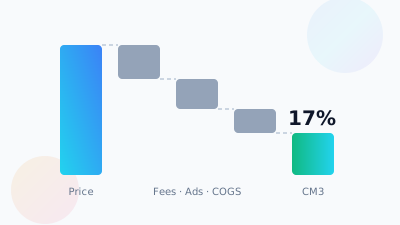
The cost is the difference between the old and new referral rate, multiplied by your selling price and your unit volume. On a $40 product moving from an 8% category to a 15% category, the referral fee rises from $3.20 to $6.00, a $2.80 hit on every unit, before any change to other fees.
The rates below come from Amazon's current US referral fee table. The cost and volume figures are an illustration, not client data.
| Line per unit | Old: Computers (8%) | New: Electronics Accessories (15% up to $100) |
|---|---|---|
| Selling price | $40.00 | $40.00 |
| Referral fee | $3.20 | $6.00 |
| Landed product cost (example) | $14.00 | $14.00 |
| FBA fulfillment fee (example) | $5.50 | $5.50 |
| Contribution before ads | $17.30 (43.3%) | $14.50 (36.3%) |
| Monthly effect at 1,000 units | Baseline | $2,800 less contribution |
Two knock-on effects matter more than the headline number:
- Break-even ACoS drops. Your break-even ACoS is contribution before ads divided by price. In this example it falls from 43.3% to 36.3%. Campaigns that were profitable at a 40% ACoS now lose money on every attributed sale.
- Tiered categories behave differently. Electronics Accessories charges 15% only on the first $100 and 8% above it, with a $0.30 minimum. A $250 item pays $27 in that category, not $37.50. Model the tier at your real price.
Run the numbers with your own landed cost, current FBA fee and ad spend. Our contribution margin calculation guide walks through the full formula, and our breakdown of FBA fee changes and margin impact shows how to stack fee changes that hit in the same quarter. With Q4 storage and fulfillment pricing already in play, a fee category move can be the change that takes a SKU from thin to negative.
What should I do before October 31? A step-by-step plan
Pull Fee Preview today, list every ASIN with an upcoming category change, rank them by monthly dollar impact, test each against Amazon's guidelines, and open disputes for the ones that look wrong. For the ones that are correct, reprice or reset ad targets before the new rate starts charging.
- Download Fee Preview for each marketplace you sell in and save a dated copy.
- Filter for upcoming fee category changes and copy those ASINs into a working sheet.
- Add old rate, new rate, average selling price and trailing 30-day units for each, then calculate the monthly dollar impact.
- Sort by impact and work the top of the list first. A small change on a top seller beats a large change on a slow mover.
- Verify the category in force with the Revenue Calculator so you know the change has not already landed.
- Test each ASIN against the fee category guidelines using the checklist above, and fix any listing attributes that point at the wrong category.
- Open a reclassification case for each ASIN you believe is wrong, with the full evidence pack, and log the case ID.
- Update your margin model for ASINs where the new category is correct, including break-even ACoS.
- Adjust bids, coupons and prices on those ASINs so the first post-change week does not run at a loss. See our SKU-level P&L guide for the monitoring view.
- After October 31, check settlements for the first week, and if a wrongly charged ASIN was not fixed in time, file the referral fee claim with transaction detail.
What are the most common mistakes with fee category disputes?
The biggest mistake is arguing from the browse category, which Amazon has said is not the fee category. Others are filing a weak claim before the evidence is ready, ignoring a vague notice, and forgetting to update ad targets when the new rate is legitimate. Each one costs money that is hard to get back.
- Citing where the product shows in search. Amazon's fee table says the two can differ. Cite the fee category guideline instead.
- Burning the one claim. Amazon accepts a single claim for each charge. A rushed claim with no guideline wording is the one you cannot redo.
- Leaving your own listing data wrong. If your product type or bullets describe an accessory, the classifier did what you told it. Correct the listing, then ask for a re-review.
- Disputing a correct reassignment. If the new category fits the guideline, a dispute wastes time. Spend that time on price and ad changes.
- Watching only the referral fee. beBOLD notes that fee categories can also affect closing and returns processing charges, plus FBA fulfillment. Check the full fee line in Fee Preview.
- Checking once. Audits are continuous. A monthly look at fee per unit by SKU, as part of your regular account management routine, catches the next change in weeks, not quarters.
Fee category reassignment checklist and timeline
Use this as the short version. Most of the work fits in the week before October 31: find the ASINs, size the impact, dispute what is wrong, and reprice what is right. After the date, the job shifts to confirming settlements and recovering any wrong charges with one well-built claim each.
| When | Task | Done when |
|---|---|---|
| October 13, 2026 | First public report of the reassignment (beBOLD Digital) | Reference only |
| Now to October 27 | Download Fee Preview, list flagged ASINs, size monthly impact | Ranked sheet exists |
| Now to October 30 | Test against guidelines, fix listing data, open reclassification cases | Case IDs logged per ASIN |
| By October 30 | Reset prices, coupons and ACoS targets on correctly reassigned ASINs | New break-even ACoS in your bid rules |
| October 31, 2026 | New fee categories take effect, per seller notices | Revenue Calculator shows new rate |
| First week of November | Check settlement commission per unit on every flagged SKU | No unexplained jumps |
| Ongoing | File one referral fee claim per wrong charge with full transaction detail; review fee per unit monthly | Claims resolved; monthly check in calendar |
If you would like a second pair of eyes on the numbers, a free account audit from our team includes a fee-per-unit review across your catalog.
Sources and data notes
Facts in this article were checked against the sources below on October 24, 2026. Amazon changes programs and dates often, so confirm details in Seller Central or the Amazon Ads console before you act.
- beBOLD Digital: Amazon Is Reassigning Some ASINs to New Fee Categories on October 31
- Nova Data: Amazon fee category changes on October 31, check your ASINs now
- AMZ Sellers Attorney: What Changes for Amazon Sellers Before December 18?
- Amazon Seller Forums: Fee categories made easier to understand
- Amazon Seller Forums: A Seller's Guide to Disputing Incorrect Charges on Amazon
- Amazon (sell.amazon.com): Selling on Amazon pricing and referral fees
- SellerLegend: Why Your Amazon Referral Fee Changed But Your Listing Did Not
Frequently Asked Questions
What is an Amazon fee category?
A fee category is the classification Amazon uses to decide the referral fee percentage on an ASIN, and sometimes other fees such as closing or FBA fees. Each ASIN has one fee category. It can differ from the browse category shoppers see in the store, so a listing can look unchanged while the fee on it changes.
Why did Amazon change my product's fee category?
Amazon says it audits ASINs continually against its fee category guidelines and updates them when it believes they are misclassified. The classification is driven by product attributes and functionality. Changes to your listing data, to Amazon's category definitions, or simply a fresh audit pass can all move an ASIN into a different fee category.
How do I see my ASIN's fee category on Amazon?
Use the Revenue Calculator to see the referral fee and fee category currently applied to an ASIN, and the Fee Preview report in Seller Central to see upcoming changes. Divide the referral fee by your price to get the effective rate, then match that rate to Amazon's published referral fee schedule for your marketplace.
Can I dispute an Amazon referral fee category?
Yes. Contact Selling Partner Support with the ASIN, current and new category, the category you believe is correct, and the guideline wording or product attributes that support it. For fees already charged, file a referral fee claim with transaction dates and amounts. Amazon allows one claim per charge and treats its appeal decision as final.
Does a fee category change affect FBA fees too?
It can. Reporting on the October 2026 reassignments notes that the fee category can also drive closing charges, FBA fulfillment and returns processing charges, not only the referral fee. Check the full fee breakdown for each flagged ASIN in the Fee Preview report rather than looking only at the referral percentage.
Does Amazon give notice before changing a fee category?
Amazon has emailed affected sellers ahead of past reassignments, and upcoming changes appear in the Fee Preview report. Notices vary a lot in detail. Some have included spreadsheets of affected ASINs, others only said at least one ASIN may be affected. The 90-day notice Amazon gives for rate card changes does not appear to cover individual reclassifications.
Is the October 31 fee category change happening in the UK and India?
No public report confirms which marketplaces are included. The coverage describes seller notices without naming a marketplace, and the referral rates quoted in most articles are US rates. Sellers in the UK, India or the EU should pull the Fee Preview report for each marketplace and check it against that marketplace's own fee schedule.
Want help checking your fee categories?
SellerVine can review your Fee Preview report, size the margin impact by ASIN and prepare the evidence for any category you think Amazon got wrong.
Get a free account audit