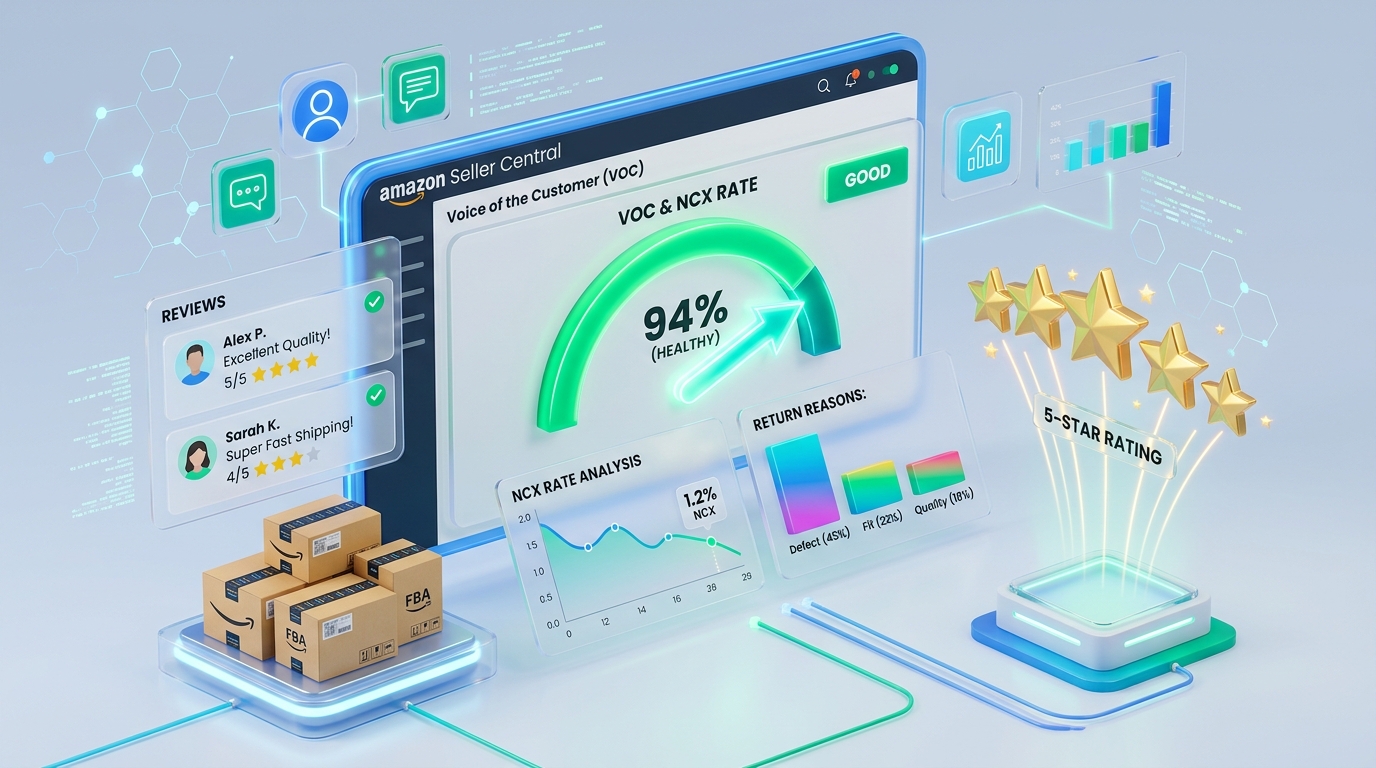
Buried under Seller Central’s Performance menu is a dashboard most sellers open only after something breaks: Voice of the Customer. It tracks, per ASIN, the rate at which orders generate negative customer experiences - returns, refunds, bad reviews, customer-service contacts - and rolls them into an NCX rate (Negative Customer eXperience) with a CX Health status from Excellent down to Very Poor.
It matters because Amazon acts on it. ASINs sliding into Poor and Very Poor territory face consequences sellers usually attribute to other causes: suppressed offers, Buy Box loss, restricted advertising eligibility, and in sustained cases listing deactivation - all driven by a metric many sellers have never looked at.
The good news: VOC is also the most actionable diagnostics surface Amazon provides. It tells you what customers actually said when they returned your product. Here is how the metric works, how to mine it, and the fix patterns that reliably move an ASIN back to Healthy.
How the NCX Rate Actually Works
NCX rate ≈ NCX orders ÷ total orders, per ASIN, on a rolling window. An "NCX order" is one that produced a negative signal:
- A return or refund (with the customer’s stated reason and free-text comment)
- A negative product review tied to a purchase
- A customer service contact indicating dissatisfaction
- Chargebacks/claims on the order
Amazon then assigns CX Health by comparing your ASIN’s NCX rate against similar products - the benchmark is category-relative, so a 4% return rate can be Excellent in apparel and Very Poor in kitchen tools. Statuses: Excellent, Good, Fair, Poor, Very Poor, plus insufficient-data for low-volume ASINs.
Because the benchmark is relative, you cannot judge yourself by absolute return rate alone. An ASIN can deteriorate simply because competitors improved. Check the dashboard monthly even when nothing feels wrong.
What Amazon Does With a Bad CX Health Score
- Offer suppression: Very Poor ASINs can have their offer pulled ("temporarily deactivated due to customer feedback") - the VOC-driven takedown most sellers meet as a surprise email
- Buy Box dampening: CX signals feed featured-offer eligibility; deteriorating ASINs lose share to cleaner competitors at identical prices
- Ad throttling: poor-CX ASINs can lose ad placements or see rising costs as Amazon protects the shopper experience
- Compounding review damage: the same defects driving returns generate the 1-star reviews that suppress conversion for everyone who still visits
The commercial math is stark: a defect costing you 3 points of return rate is usually costing you the Buy Box margin, the ad efficiency, and the review trajectory simultaneously.
Root-Cause Analysis From Return Comments
The dashboard’s real value is the verbatim layer: click into an ASIN and read the return reasons and free-text comments. Patterns map to fixes:
| Dominant signal | Real root cause | Fix family |
|---|---|---|
| "Too small / too large", sizing mentions | Size guidance failure, not product failure | Size chart in images and A+, fit notes from reviews, "runs small" honesty in bullets |
| "Not as described", feature disappointment | Listing over-promise or ambiguity | Rewrite claims to match reality; show limitations honestly; fix hero image implying wrong scale/contents |
| "Arrived damaged / broken" | Packaging or fragility in the FBA network | Drop-test packaging redesign; ISTA-6 style validation; poly-bag/box changes; case-pack review |
| "Defective / stopped working" clusters | True quality escape - often lot-specific | Correlate dates with production lots; supplier CAPA; inbound QC tightening |
| "Better price found" / remorse | Price-value mismatch | Reposition price or strengthen perceived value; often the least fixable via listing |
| Wrong item / variation confusion | Catalog or labelling issue | Fix variation imagery per child, FNSKU labelling audit, check commingling |
Quantify before fixing: export a month of return reasons, bucket them, and rank by frequency × cost. One dominant bucket = one targeted fix; a smear across buckets usually means a listing-expectation problem rather than a product problem.
The Fixes That Reliably Move NCX
Expectation-setting (fastest)
Most NCX improvements come from honesty engineering: dimensions shown against a hand or familiar object, a size chart as image two, bullets that pre-answer the top three return reasons, A+ comparison charts steering buyers to the right variation. Sellers resist "talking customers out of buying"; in practice conversion usually holds while returns fall - the buyers you lose were refunds in waiting.
Packaging (for damage clusters)
Redesign for the FBA journey, not the pallet: unit-level protection, crush resistance, drop testing. A packaging revision that cuts damage returns from 4% to 1% routinely pays for itself in weeks at scale.
Product/lot interventions (for defect clusters)
Date-correlate defects to lots; quarantine affected inventory (create a removal order if needed) rather than letting bad stock keep generating NCX while you fix production.
Variation and catalog hygiene
Wrong-item complaints are operational: per-child images, FNSKU audits, and disabling commingling on affected ASINs stop the bleed.
Recovery, Reactivation, and Monitoring
- If an offer was deactivated for CX: fix the root cause first, then appeal via the dashboard’s reactivation path with evidence (what changed: new packaging photos, revised listing, QC records). Appeals that show causal fixes clear; "we will do better" does not
- Expect lag: NCX is rolling, so the metric improves as new orders dilute old ones - visible movement typically takes 2 to 6 weeks after a real fix
- Set a monthly VOC review: statuses per ASIN, new comment themes, and a running log of fixes vs. metric response
- Watch new launches closely - early NCX on low order counts swings hard, and one bad lot at launch can bury an ASIN before it has review depth to absorb it
Frequently Asked Questions
Where do I find the Voice of the Customer dashboard?
Seller Central → Performance → Voice of the Customer. It lists ASINs with their CX Health status and NCX rate, and clicking an ASIN exposes the underlying return reasons, comments, and affected orders.
What NCX rate is "safe"?
There is no universal number - Amazon benchmarks each ASIN against similar products, so safety is relative to category peers. Watch the status (Excellent→Very Poor) and its trend rather than the absolute rate, and treat any slide of two levels as an action trigger.
Can Amazon really deactivate my listing because of returns?
Yes - sustained Very Poor CX health can lead to offer deactivation, separate from Account Health policy metrics. Reactivation requires addressing the customer-experience root cause and appealing through the VOC flow with evidence of the fix.
Do refunds without returns (returnless refunds) count against NCX?
Yes - the negative experience is the refund event and its reason, not the physical return. Categories with returnless-refund policies still accumulate NCX signals, so the diagnostic value of reason codes remains.
My NCX is driven by sizing returns in apparel - is that just the category?
Partly, which is why benchmarks are category-relative - but within apparel, sellers with rigorous size guidance measurably outperform. Fit charts built from actual return feedback ("runs half a size small") are the highest-ROI fix in the category.