Why Most Amazon PPC Accounts Have Bloated ACoS
When we audit a new client's Amazon account, we see the same mistakes repeatedly: one broad match campaign covering the entire catalog, no negative keywords, bids that haven't been adjusted in months, and ad spend distributed randomly across ASINs regardless of margin or conversion rate.
The result? ACoS of 35–50% when it should be 12–18%. The good news: every single one of these problems is fixable, and the improvements compound quickly once you start making the right structural changes.
ACoS (Advertising Cost of Sales) = Ad Spend ÷ Ad Revenue × 100. A 20% ACoS means you spent $20 in ads for every $100 in ad-attributed revenue. Your break-even ACoS depends on your margin - if your margin is 30%, anything below 30% ACoS is profitable.
Step 1: Audit Your Search Term Report (Weekly, Without Fail)
The search term report is the most valuable - and most ignored - report in Amazon Advertising. It shows exactly what search queries triggered your ads. Inside every account we take over, we find hundreds of irrelevant, zero-conversion search terms eating budget.
Pull your search term report for the last 60 days. Filter to show any search term that has spent more than $5 with zero orders. Those are your immediate negatives. Add them to a campaign-level and portfolio-level negative keyword list today.
What to look for:
- Competitor brand names - unless you're specifically running conquest campaigns, you're wasting money bidding on these
- Irrelevant product types - if you sell premium cookware, "cheap pots" is irrelevant traffic
- Informational queries - "how to clean cast iron" won't convert to a sale
- Wrong size/color/variant - if you only sell size M, searches for "XL" are pure waste
Set a recurring calendar reminder every Monday to pull and review your search term report. Brands that do weekly reviews see 22% lower ACoS than those who do monthly reviews, in our data across 200+ accounts.
Step 2: Restructure Campaigns by Match Type - Separately
The most common structural error we see: all match types (broad, phrase, exact) in a single campaign. This makes it impossible to control bids intelligently, because broad match needs a lower bid than exact match for the same keyword.
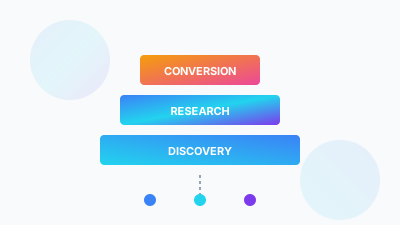
The correct structure is what we call the 3-Campaign System per ASIN or ASIN group:
- Auto campaign - low bids, discovery mode, mine for new converting keywords
- Broad/Phrase campaign - moderate bids, harvesting keywords from auto, building volume
- Exact campaign - highest bids, only proven converting keywords, maximum efficiency
Keywords "graduate" from auto → broad → exact as they prove their conversion value. This structure alone typically drops ACoS by 15–20 percentage points within 30 days.
Step 3: Kill the Long Tail of Underperforming Keywords
In a typical account, 20% of keywords generate 80% of profitable sales. The remaining 80% either break even, lose money, or generate zero sales. Most brands are afraid to pause these because they worry about losing impressions. Don't be.
Identify keywords that have spent 3× your target ACoS (in dollar terms) with zero or one sale. Pause them. Monitor for 2 weeks. If revenue doesn't materially drop, they were costing you money - not making it.
Step 4: Use Placement Bid Adjustments Strategically
Amazon lets you increase or decrease bids for three placement types: Top of Search, Rest of Search, and Product Detail Pages. Most brands leave these at zero (no adjustment) and miss a huge lever.
Pull your placement performance report. If Top of Search converts at 15% CVR but Product Pages converts at 4%, you should be increasing your Top of Search bid modifier by 50–100% and decreasing Product Pages modifier. This alone can cut ACoS by 8–12 percentage points while improving ROAS.
Step 5: Implement Dayparting Based on Hourly Conversion Data
Not all hours of the day convert equally. Using Amazon's hourly data (available in third-party tools like Perpetua, Scale Insights, or Helium 10), identify your peak conversion windows and reduce bids during low-conversion hours (typically 11pm–6am).
Brands that implement dayparting see an average 11% ACoS reduction without any loss in daily order volume, simply by concentrating spend in high-conversion windows.
✓ Weekly search term report review and negative keyword additions
✓ 3-campaign structure (auto / broad / exact) per ASIN group
✓ Pause keywords with 3× target ACoS spend and zero conversions
✓ Placement bid adjustments based on actual CVR data
✓ Dayparting based on hourly conversion patterns
✓ Separate campaigns for branded vs non-branded keywords
How Long Does It Take to See Results?
With this system applied consistently, here's what our clients typically see:
- Days 1–7: Negative keyword additions immediately stop bleeding on irrelevant searches
- Days 8–30: Campaign restructure takes effect, ACoS typically drops 15–20 percentage points
- Days 30–60: Placement adjustments and dayparting compound gains, ACoS stabilises at target
- Day 90+: Keyword graduation system continuously improves account efficiency
The Bottom Line
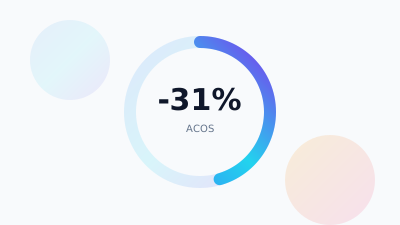
Reducing ACoS isn't about cutting spend - it's about directing spend more intelligently. The five steps above are not theoretical. They're the exact process we execute for every new client at SellerVine, and the results are consistent: average 40–50% ACoS reduction within 90 days, with revenue maintained or growing.
If your current ACoS is above 25% and you're not sure why, the answer is almost always in your search term report and campaign structure. Start there.
Want Us to Do This For Your Account?
Book a free audit and we'll show you exactly how much ACoS you're overpaying, which keywords are bleeding your budget, and what a realistic 90-day improvement looks like for your specific account.
Get My Free PPC Audit →